GNOME Screenshot: How to change default directory and file type

I've recently switched from Plasma to Cinnamon, and so far, I like it. However, while the latter is more stable, it's also less feature-rich - at least on Arch Linux. So, when I'd installed GNOME Sreenshot, I realized that I can't really configure it through the user interface. It's rather basic, with no settings in the menu to change the default directory or file format.
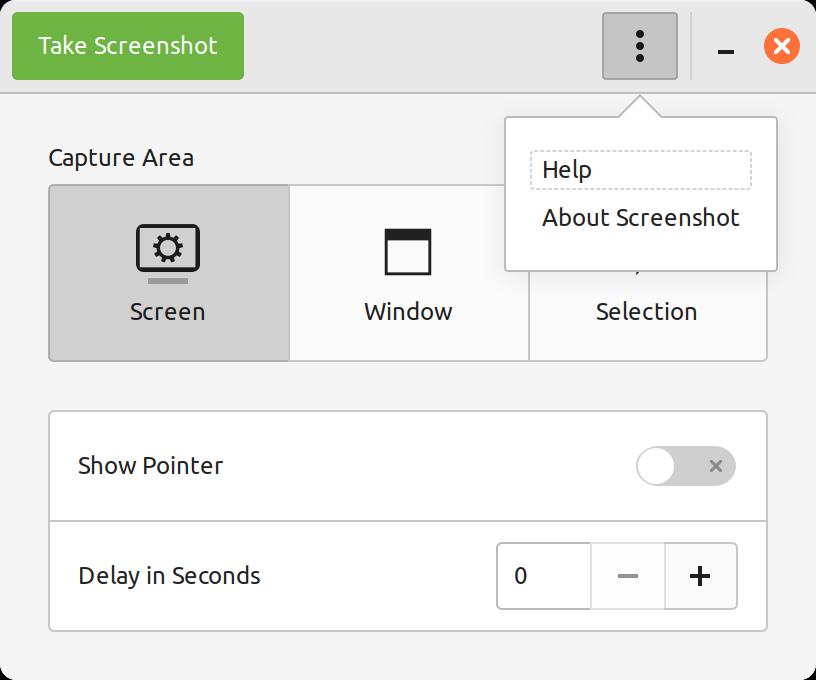
GNOME Screenshot window

Search results on the subject were old, with posts dating back 10-15 years, which always makes me suspicious: how relevant is that information today? That's why I decided to jot down my findings.

Read more...

Lombok compilation error: cannot find symbol

I was working on the service that powers this blog when I stumbled upon an odd issue.

[INFO] -------------------------------------------------------------
[ERROR] COMPILATION ERROR : 
[INFO] -------------------------------------------------------------
[ERROR] /app/service/src/main/java/ee/fakeplastictrees/blog/service/user/model/UserExceptionFactory.java:[8,1] cannot find symbol
  symbol:   static withData
  location: class ee.fakeplastictrees.blog.service.core.exceiption.PublicExceptionFactory

There were 52 more errors like this in different classes. I hadn't changed the Java version or any dependencies since the previous build. Moreover, most of the files that reported failures had absolutely no changes in them. I was able to build this code not long ago! It was as if lombok had suddenly stopped working for no obvious reason. Nothing in maven's log pointed to the root cause.

A confused man screaming at his laptop

Photo: not exactly me, but the same energy.

Search results were misleading and suggested that my project was configured incorrectly, even though it had worked in the exact same environment just a couple of weeks ago. Eventually, I found the answer!

Read more...

Plasma's spare layouts not working on Wayland: workaround

I decided to try Wayland due to some issues I suspect might be related to Xorg. So far, so good. However, it comes with its own problems. Spare layouts don't seem to be working as expected. It's a super useful feature for those who have more than two layouts because it makes cycling through them much easier. According to the documentation:

Spare layouts allow to toggle between small number of layouts easily while keeping more layouts handy close by. For example you might use 3 languages: English, Ukrainian and German but first two are used often and third one just occasionally. In this case you can configure first two as main layouts and German one as spare one - when you toggle with keyboard and left mouse button the switch will happen between main layouts only but you can always choose 3rd layout with context menu.

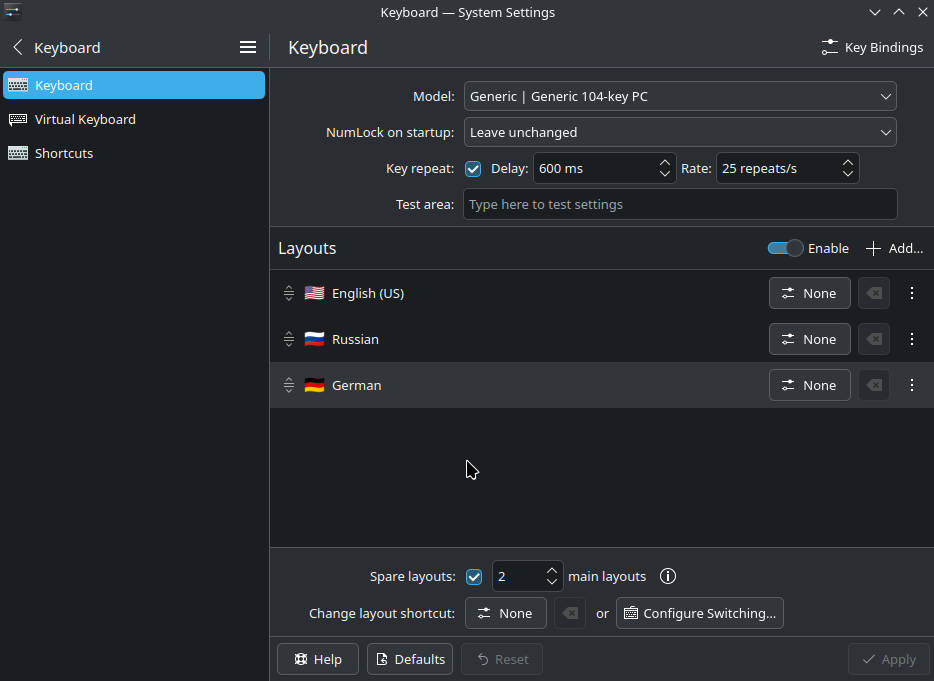
Here is my configuration:

Plasma system settings: keyboard layouts

I want alt+shift to only switch between English and Russian. Unfortunately, this setup doesn't work as intended: all layouts are in the rotation. Therefore, switching from Russian to English takes an extra step through German. Ideally, I want to use German only when I'm practicing it via the applet on the taskbar.

I found a workaround for this bug!

Read more...

Disable docker compose CLI menu

Docker compose introduced a new feature in a recent update called the compose menu. It adds an extra line in the terminal while running docker compose up in the attached mode, i.e. without the -d flag.

Docker compose menu

Image source: https://github.com/docker/for-win/issues/14021#issuecomment-2161370349

The issue is that the menu breaks the active session. In my case, after stopping the containers, I could not see what I was typing in the terminal, as if I was entering a password: the text was not visible.

As this menu doesn't bring anything useful to the table, I figured I should be able to disable it. According to the documentation, there are two ways to turn it off.

Read more...